
Loading...
Loading...
Autumn took the submittal engine upstream, to the plan set itself. Drainage Summary Import reads a project's drainage structure sheets, checks the engineering, and turns each row you confirm into a priced structure that flows into Auto-Stack, the bill of materials, and the quote. Underneath it, per-state DOT jurisdiction packs now cover the whole eastern seaboard, so a shop quotes every job under the rules that govern it and prices it the way the bid sheet reads. Every plan, under its own ground.
Underground drainage is where a precast quote is won or lost, and the structures live on a Summary of Drainage Structures sheet buried in the plan set. Drainage Summary Import reads that sheet and builds the job, with a person approving every row.
Upload the plan set PDF on a job and DhyanaERP locates the drainage summary pages using the document’s own embedded text. No AI runs until you see which pages will be processed and the estimated cost, typically a few cents per sheet.
Tabular summaries and free-text description blocks both read through per-state parser profiles. A vision model transcribes the sheet verbatim under a strict extraction contract: unreadable cells come back empty with a stated reason, placeholders on preliminary plans come back marked, and nothing is computed, inferred, or invented.
Every row is validated the way an experienced estimator would check it: depth against the product standard’s limits, structures within half a foot of a pay-item depth break, duplicate structure numbers, and pipe continuity between structures, including inverts that would run uphill. Preliminary sets trigger a clear warning, and estimating-only dimensions stay flagged all the way to the cut sheet.
Extracted rows appear beside the source sheet image, and each is explicitly confirmed by a person before anything is created. Confirmed rows become structures with openings and pipe runs on the job, then flow straight into Auto-Stack, the bill of materials, shop drawings, and a quote.
Every state DOT built its standards around its own ground, so every state names its products differently, pays for them differently, and formats its plans differently. DhyanaERP treats those differences as data, not obstacles.
Product catalogs, pay-item rules, and plan-reading profiles live in versioned reference packs, one per state, layered over a single shared engine for stacking, bills of materials, drawings, and scheduling. Each job carries its own jurisdiction, so a shop selling across state lines quotes every job under the rules that govern it. Supporting a new state means loading its data, not rewriting software.
A precast quote on a job with a jurisdiction gains a second view that regroups the same line items the way the owner pays, matched to the contractor’s bid sheet. Structures whose code is not in the pack show an explicit unmapped row and anything unpriced reads no price, so nothing is ever dropped or silently zeroed. The rollup freezes with the quote when you send it.
Standards packs now run the entire eastern seaboard, from Florida to the New England line, with every value citing its DOT source and awaiting verification review. All fifty states also carry starter municipality directories, so wherever your plant bids you can pick the cities, counties, and water and sewer authorities you work with, and your specs for each owner stay your own.
A bid schedule does not read in dollars per pound. It reads in base slabs, vertical feet by depth bracket, tops, and per-each adders. The Price Book now prices a structure the same way.
Each plant can price structures by weight, the default, or by component: a base slab, vertical footage billed per foot by depth bracket, a top or cone, grade rings, and per-each adders for boots, drops, steps, channel, coating, and stormwater accessories. The quote line still bills as one line, with the breakdown shown beneath it and on the customer PDF.
Seeded starter prices are clearly marked as examples to review until you make them yours, and any quote priced with an unreviewed example rate carries a visible warning, so a seeded number is never silently presented as your real price. The starter set covers every component the stack builder can emit, so no piece quietly prices at zero.
Smaller pieces that shipped alongside the plan importer and the jurisdiction packs.
Add a second layer to your account from Account settings: scan a QR code with any authenticator app and sign-in asks for a 6-digit code. Optional, and recommended for owners and managers.
Build the whole quote before you choose a company, or send it to several bidders. A company is only required when you send a single-company quote.
The Precast Calculator opens directly in the structure editor and resumes your most recent unfinished draft automatically. No menu screen in the way.
Reducers like VDOT R-2 and R-3 are now a first-class piece: add reducer form sections, place them in the stack editor, and price them in the Price Book.
The calculator window had two stacked close buttons. Now there is exactly one.
Before the plan importer, August turned the Precast Calculator into a full civil submittal engine: enter two elevations and it stacks the pieces, draws the dimensioned sheet, writes the spec block, prices the line, and counts the frames and boots the order will consume. The full story is below.
A storm run on a site plan is a list of structures, elevations, and pipes. The Precast Calculator now takes that list as-is: enter what the plans say, and the software builds what the plant needs, all the way to the sheet an engineer signs.
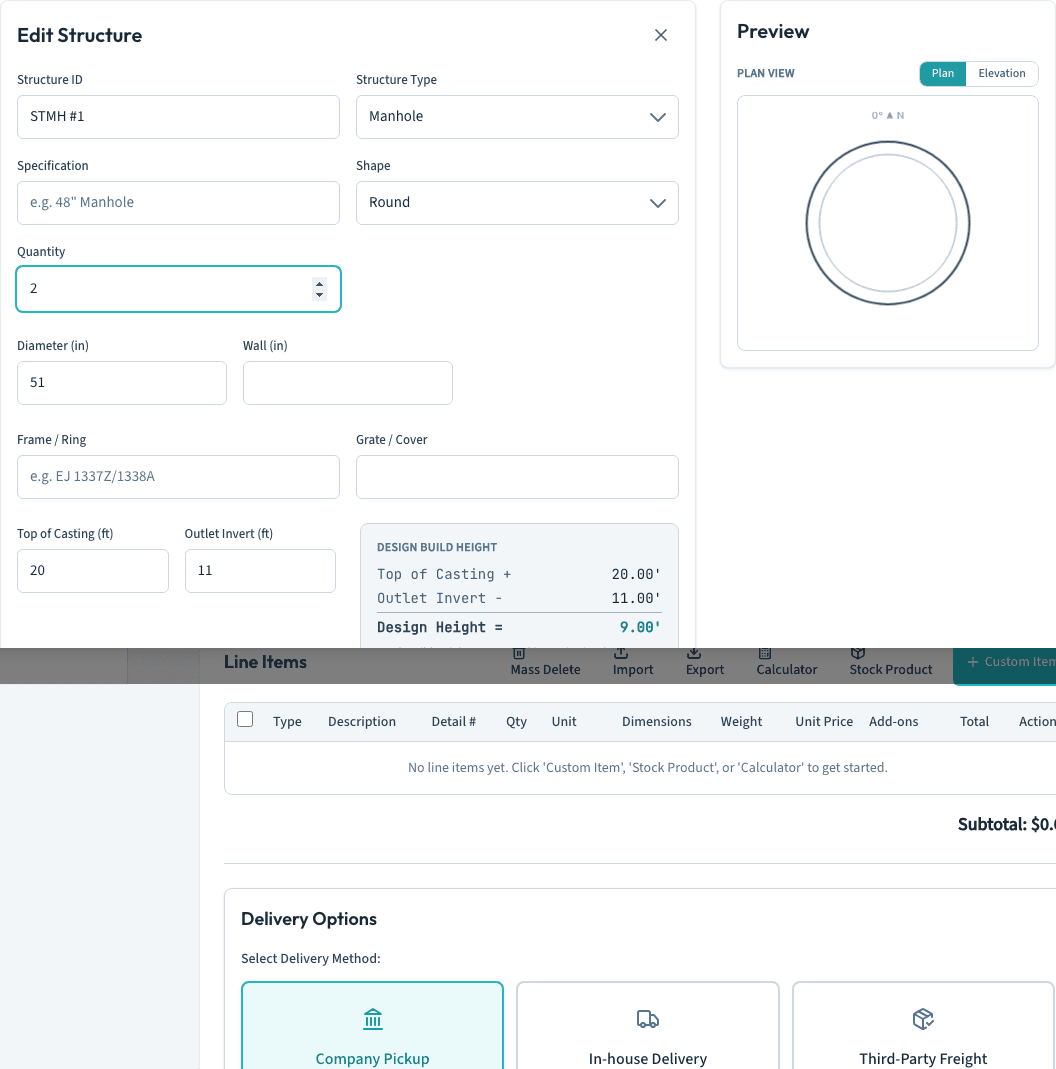
Structures enter the way the plans give them: Top of Casting and Outlet Invert at sea-level datum, or measure to the floor for grease traps and wet wells. Design Height reconciles live as you type. Openings sit on a plan protractor with real pipe, connector, and hole detail from your catalogs, and opening #1 seeds itself as the outlet. Tap Auto-Stack and the piece stack solves against the forms your plant actually pours, with the full build-height ledger from frame to outside height.
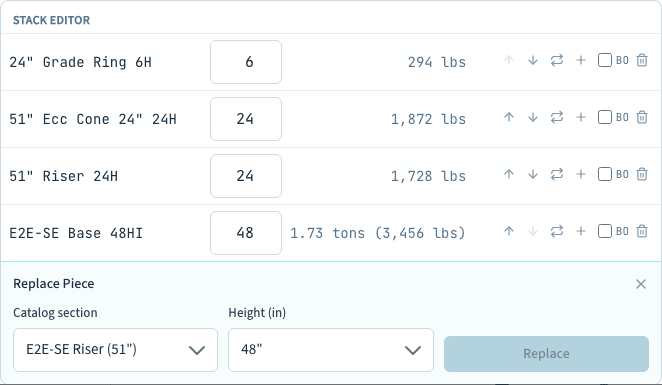
Auto-Stack gets you a valid stack; the Stack Editor makes it the best one. Replace a course with a different form, re-height it, reorder it, or mark it By Others, and the weight, the BOM, and the quote price recompute as you work. Add the structure to the quote and it lands as one priced line, solved weight times your price level, flowing on into sales orders and production like any other piece.
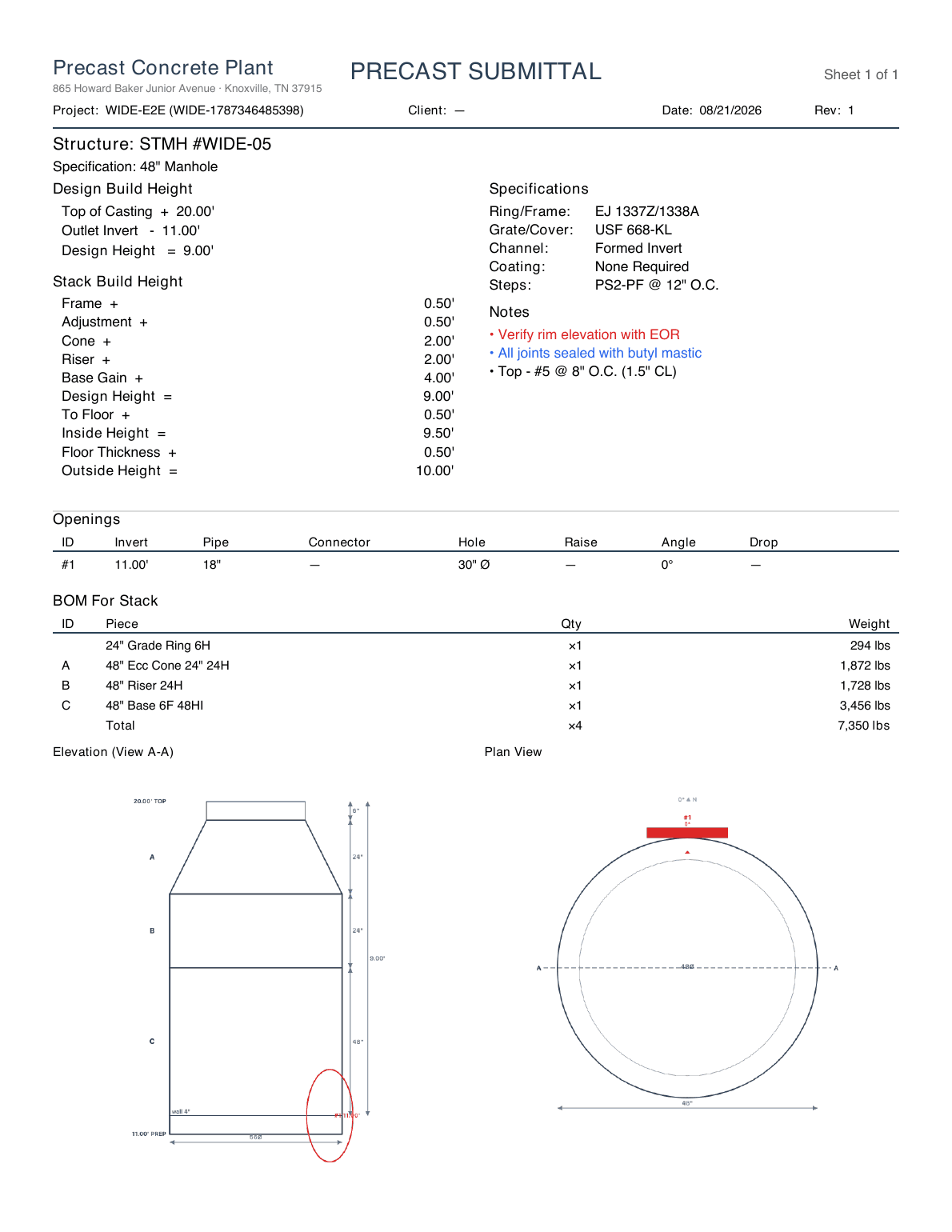
Send for Stamp generates the submittal: title block, Design and Stack Build Height, the openings schedule, a lettered BOM, and dimensioned Plan and Elevation views drawn from the real solved stack, each piece lettered to match the bill. The header carries the contractor, the job location, and who ran the take-off. The engineer opens a link, reviews, and applies a seal, and revisions track on the structure. Structures chain into a flow tree that auto-numbers the run from upstream to outfall.
Estimators should type what only they know. Everything the catalog already knows now fills in by itself.
Diameter is a dropdown of the sizes your plant pours, and picking one fills an empty wall thickness from the form spec. The Specification text writes itself from size and type. Pick a frame and the casting’s real height flows into the build ledger. Leave Raise Hole blank and it derives from the invert and the hole size. Every derived value stays editable; the software never fights your typing.
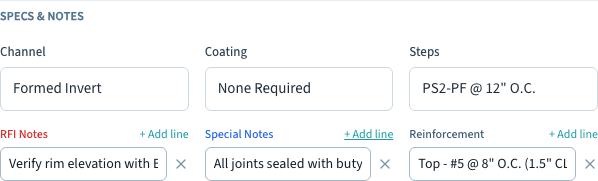
Channel, coating, and step specifications plus three note lists: RFI notes print red on the sheet, special notes blue, reinforcement steel plain. Set your org defaults once and every new structure starts prefilled. Save any structure as a reference design, openings layout included, and the next one like it is one pick: the design copies, the openings lay themselves out, and you fill in the site’s inverts.
A manhole is concrete plus a frame, a grate, and a boot for every pipe. Now the hardware follows the structure through the sale.
Settings tracks On Hand and Reserved for every frame, grate, and pipe boot at each plant, with an audited adjust editor and automatic rows for every new catalog item and plant. Form molds get their own asset ledger: quantity owned, condition, and cycle counts. Molds are equipment, so orders never deduct them.
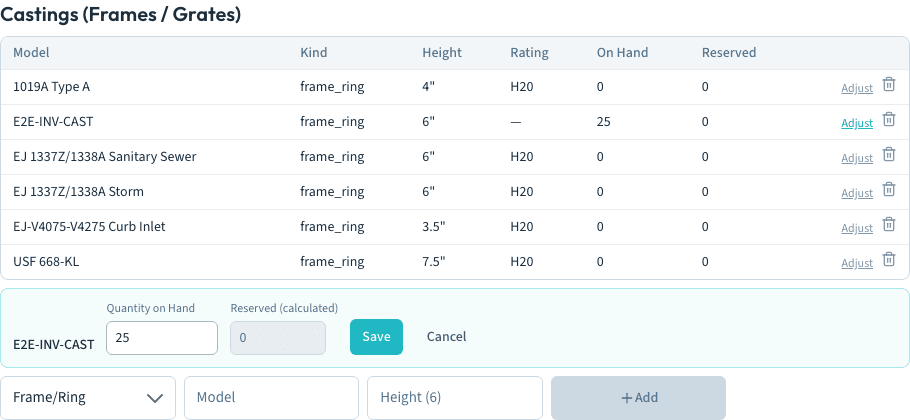
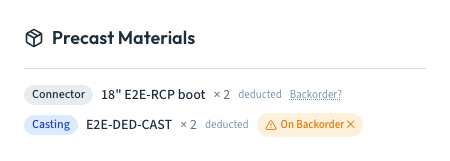
When a quoted structure becomes a sales order, its line expands into the castings and boots it consumes, multiplied by quantity. Approval deducts them from plant inventory exactly once, with an audit row for each; moving the order through later stages never double-counts. Short on a boot? Flag it backordered with a follow-up window and a reminder lands on the day you chose.
Smaller pieces that shipped alongside the submittal work.
Takeoff blueprints and CAD drawing sets live-view from the job’s Files tab, next to BOLs and invoices. No copies to go stale.
The calculator adds pieces directly to the quote, and draft quotes inherit the job’s customer. Fewer taps between a measurement and a price.
The custom shape designer gained zoom and pan, circles, and editable arc edges, so radius pieces draw the way they cast.
A full print-ready manual for the Precast Calculator, from datum elevations to the stack ledger to material deduction.
The first half of August was about bending the software to your plant: a custom shape editor that speaks blueprint, four-view shop drawings, metric in one click, Zebra printing over shop WiFi, and one branded package for your customer. The full story is below.
Every plant has the piece no catalog covers: the wing wall, the notched sill, the vault your county DOT sketched in the margin. Now you draw it once and the software takes it the rest of the way, from quote to shop drawing to the pour schedule.
Edge lengths and corner angles sit right on the drawing, the way a drafter would dimension them. Tap any dimension and type the exact value; fractions like 23 7/8 are welcome, and corners snap to the nearest 1/8 inch (1 mm for metric shops). Choose Plan Detail for footprints that stack vertically, or Profile Section for pieces like sills and coping that run by length. Trapezoids ship as a first-class shape too.
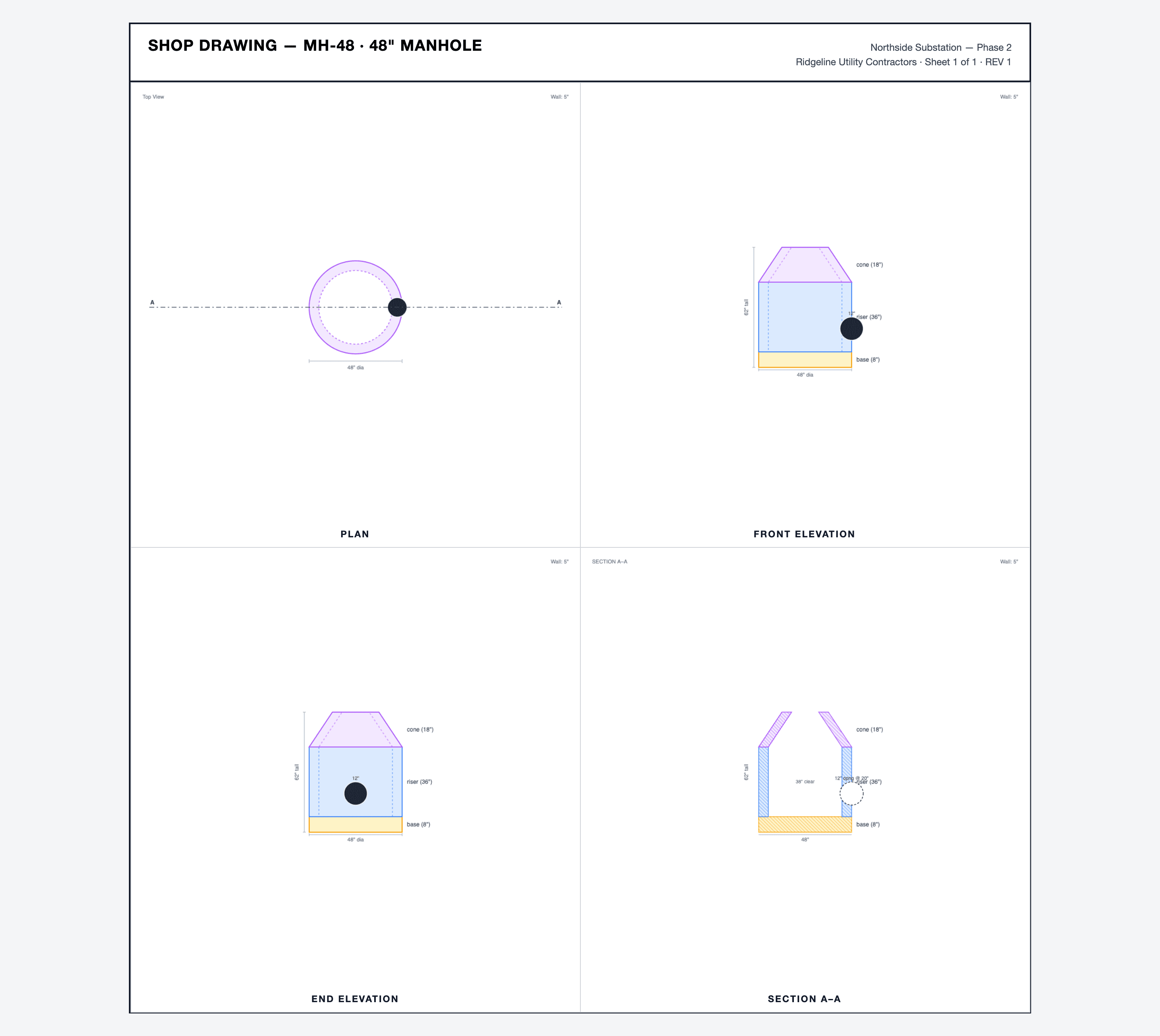
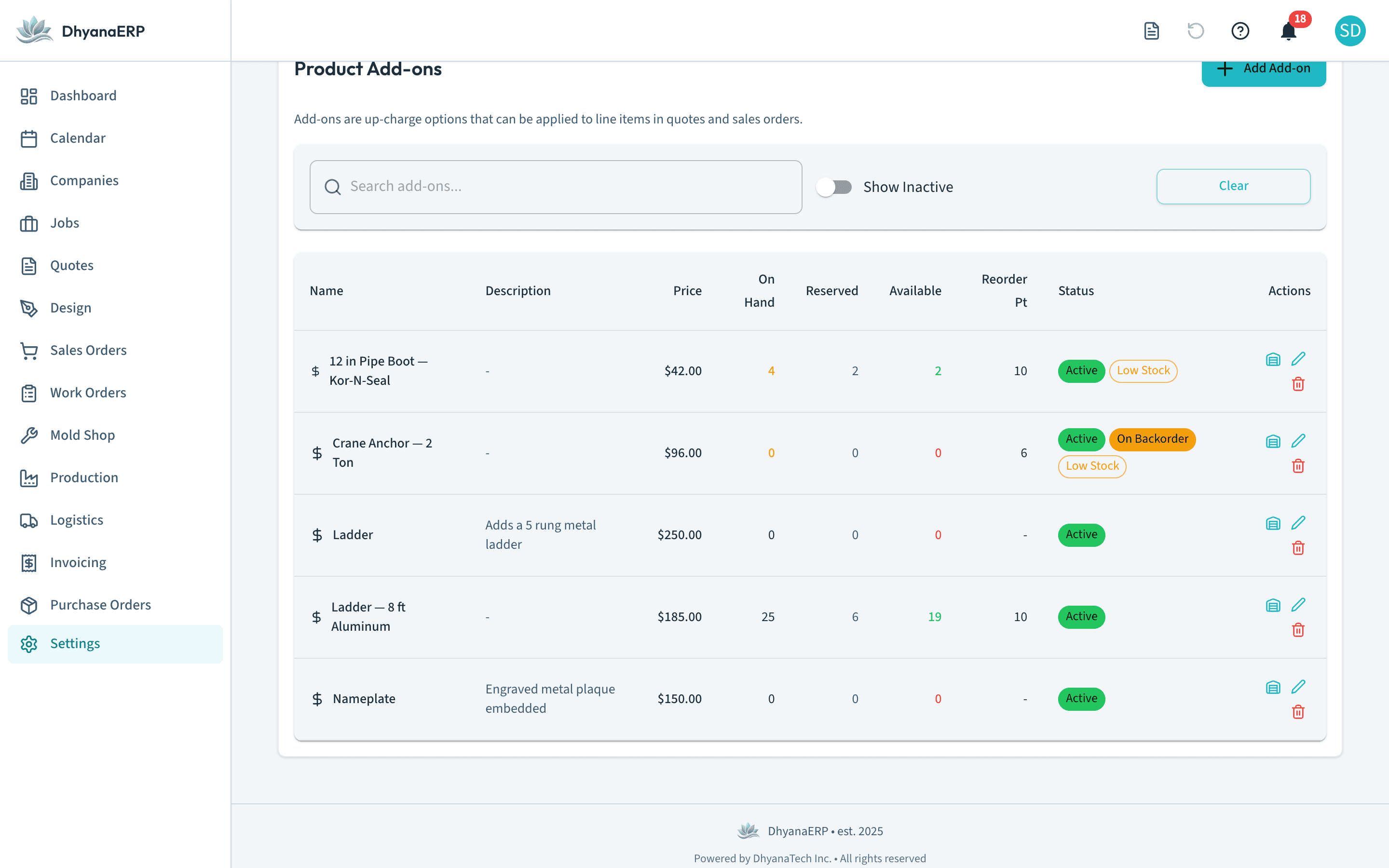
Every drawing sheet now carries Plan, Front Elevation, End Elevation, and a hatched Section A-A, generated straight from the configured piece. No drafting backlog, no stale PDFs: the sheet is rendered live from the same geometry that prices the piece and schedules the pour.
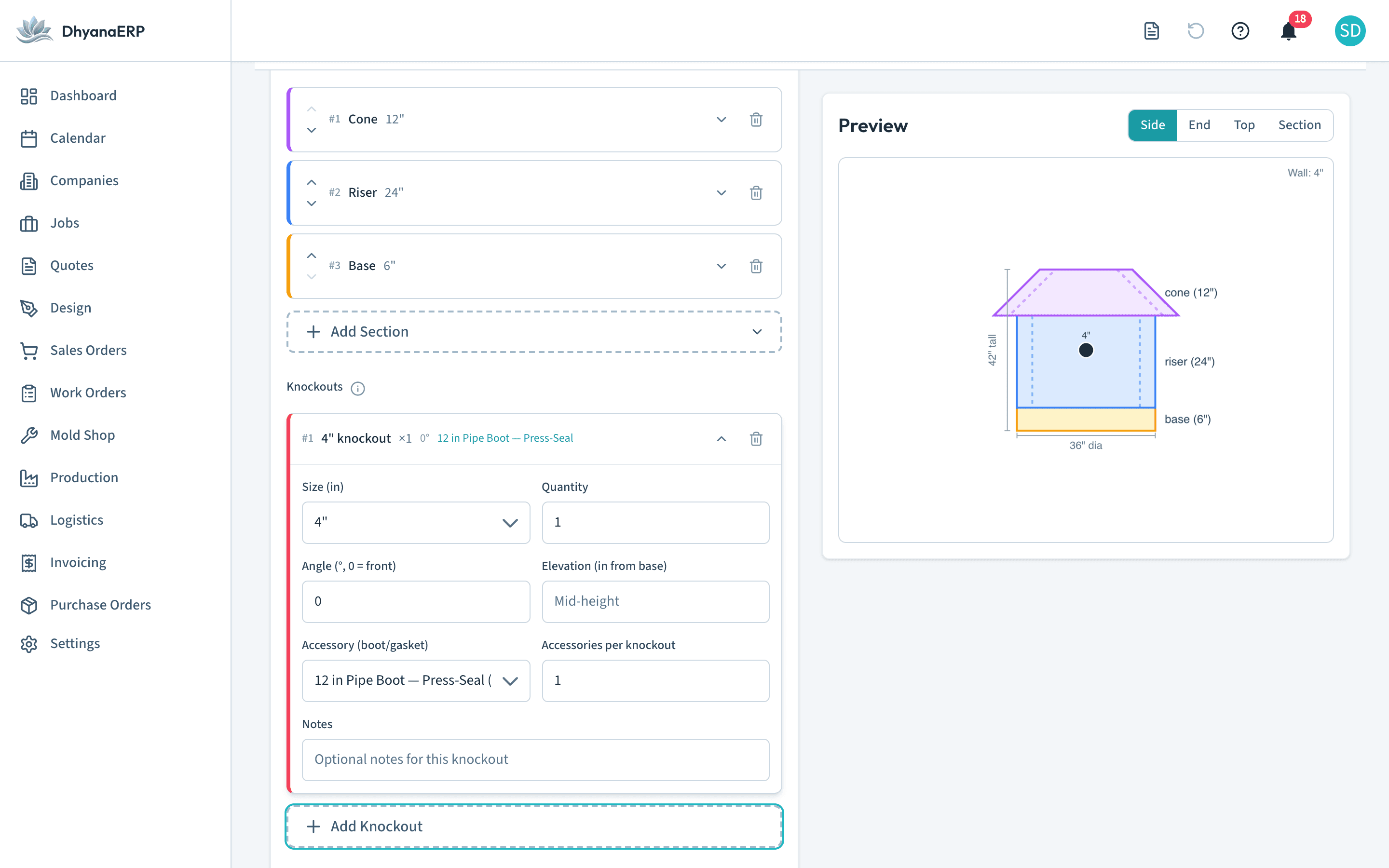
The calculator preview carries the same four views. Configure a piece and page through Side, End, Top, and Section while you work, so what leaves the estimating desk is what the floor will actually build.
Attach a boot or cast-in gasket to any knockout and the accessory follows the piece onto the quote, priced per knockout and multiplied through the line quantity. Element types can carry default accessories, so the estimator picks a size and the math is already done.
Some shops think in pounds and cubic yards. Some think in kilograms and cubic meters. One setting now flips the whole app, and your stored data never moves.
Set the Batch Unit Preference to pounds, tons, cubic yards, kilograms, metric tons, or cubic meters, and every pricing field, weight display, dashboard KPI, batch plan, and PDF follows. Watch it happen: save the setting and the calculator is already asking in the new unit.
Metric shops see millimeters in the calculator, on piece labels, in Element Type defaults, on shop drawings, and in the custom shape editor. Density reads in kg/m³, volumes in cubic meters, and weight entry takes kilograms. Pound shops see no change at all.
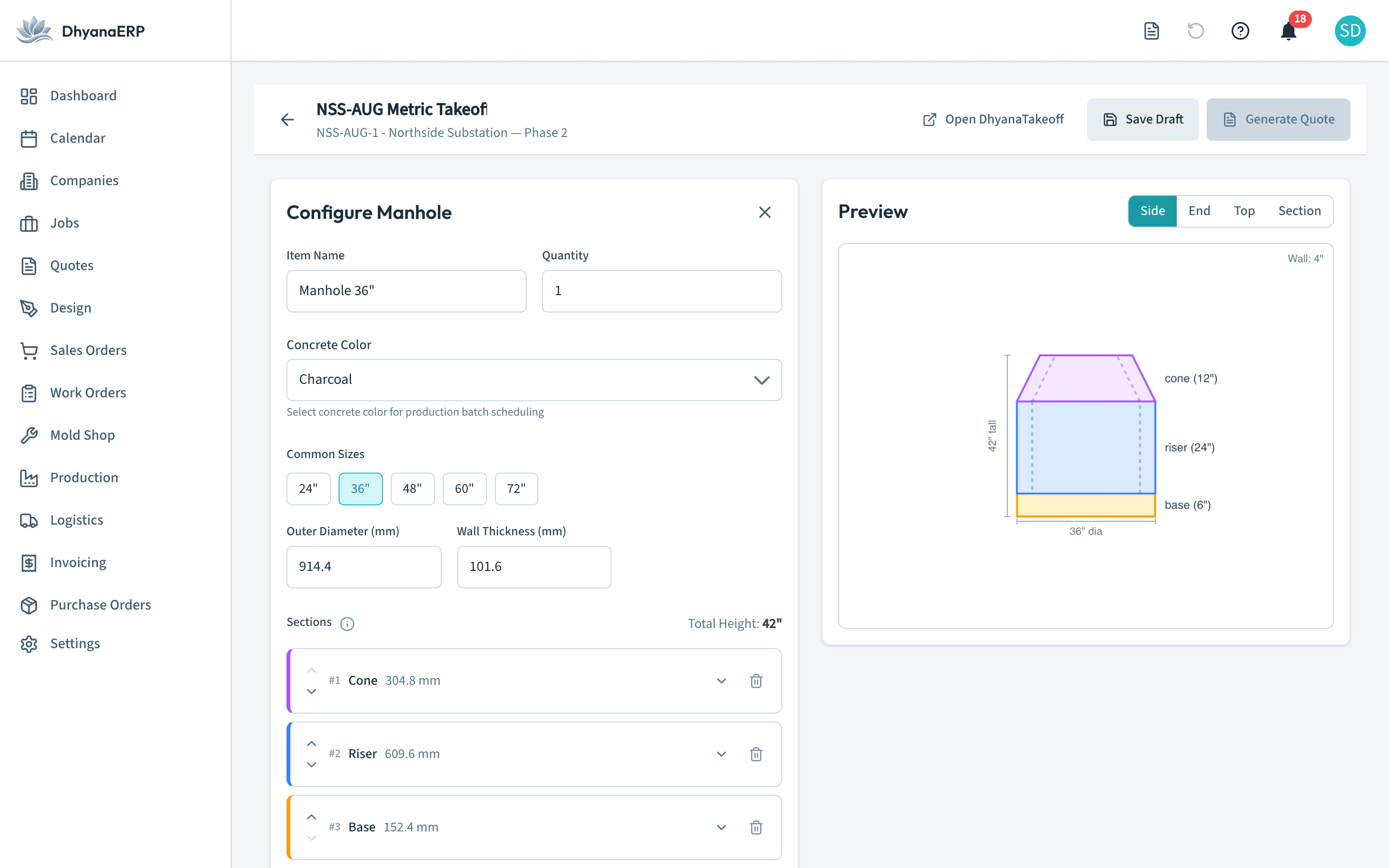
Label printing on a shop floor should be boring. Pair it once, assign it to a station, and never think about it again.
The Hardware tab manages your Zebra label printers, label sizes from 3 by 1 up to 4 by 6, and a per-station assignment so the packing line always prints pallet labels on the packing printer. The Print Bridge is now an Android app: download it from the Hardware tab, scan the pairing QR code with any phone or tablet on the shop WiFi, and it relays every label to the right printer. A cloud queue shows every job, so a missing label is a status you can see instead of a mystery.
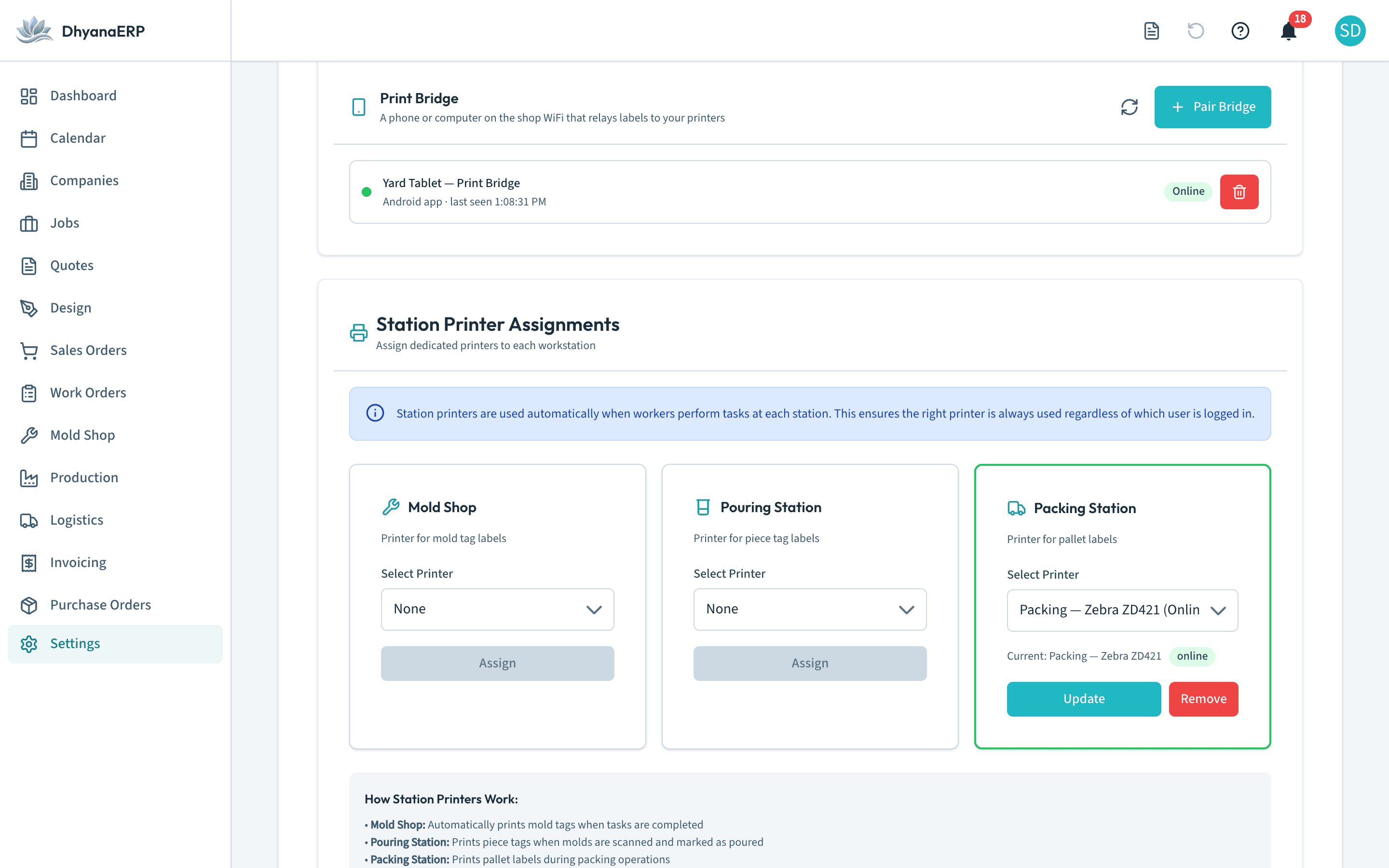
Your customer should never dig through five attachments to approve a job.
Approval emails now carry a single Shop Drawing Package: every drawing merged into one PDF behind a cover sheet, next to the sales order. Customers open documents on a page with your plant name on it, with a proper viewer and a download button, on any device. And those links got stricter security this release, so a document link is exactly one document, for exactly one customer, for a limited time.
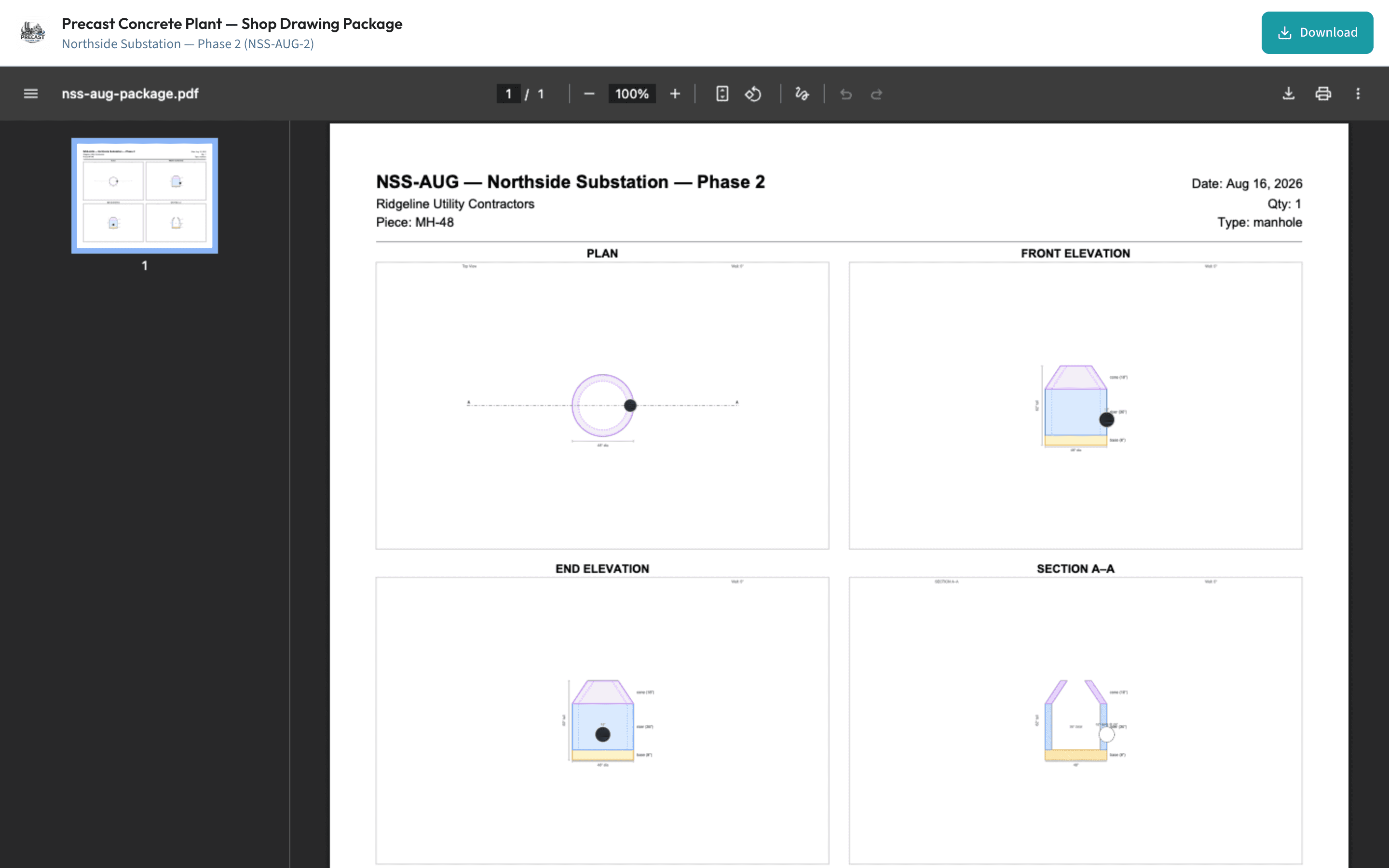
Ladders, boots, anchors, hatches: the little parts sink quotes when they are not on the shelf.
Every product add-on now tracks On Hand, Reserved, and Available, with reorder points and low-stock badges. Quoting reserves stock; approval deducts it. Mark an item backordered with an expected date and the calendar carries a follow-up reminder so the promise you made in July does not surprise you in September. Add-ons apply per piece, so a line of ten manholes with two boots each reserves twenty boots, not two.
Not every improvement needs a screenshot. These shipped in the same stretch.
Fat-fingered a stage advance? Every floor role gets a 15-minute window to walk it back from the top bar.
The production calendar reads from the same live schedule engine as the Gantt, with projected pours shown and finished pours marked automatically.
Measure more in DhyanaTakeoff after the quote exists and the quote editor offers to add or update those lines. Your pricing is never overwritten.
Element types and custom shapes can be deleted, even the built-ins, behind the manager PIN, and never while a takeoff, template, or checklist still uses them.
The badge wall is gone. Stations show the queue and nothing else.
Pallet cards show the real pallet number, and fulfillment pallets stopped reusing them.
v1.1 was the release where the software followed the piece past the yard gate: quality inspections grounded in PCI and NPCA plant practice, a schedule that plans backward from the day the crane needs each piece, and a load-out check that catches the wrong piece before the truck leaves. The full story is below.
Precast quality lives or dies at two moments: right before the pour and right after the strip. v1.1 puts a checklist at both.
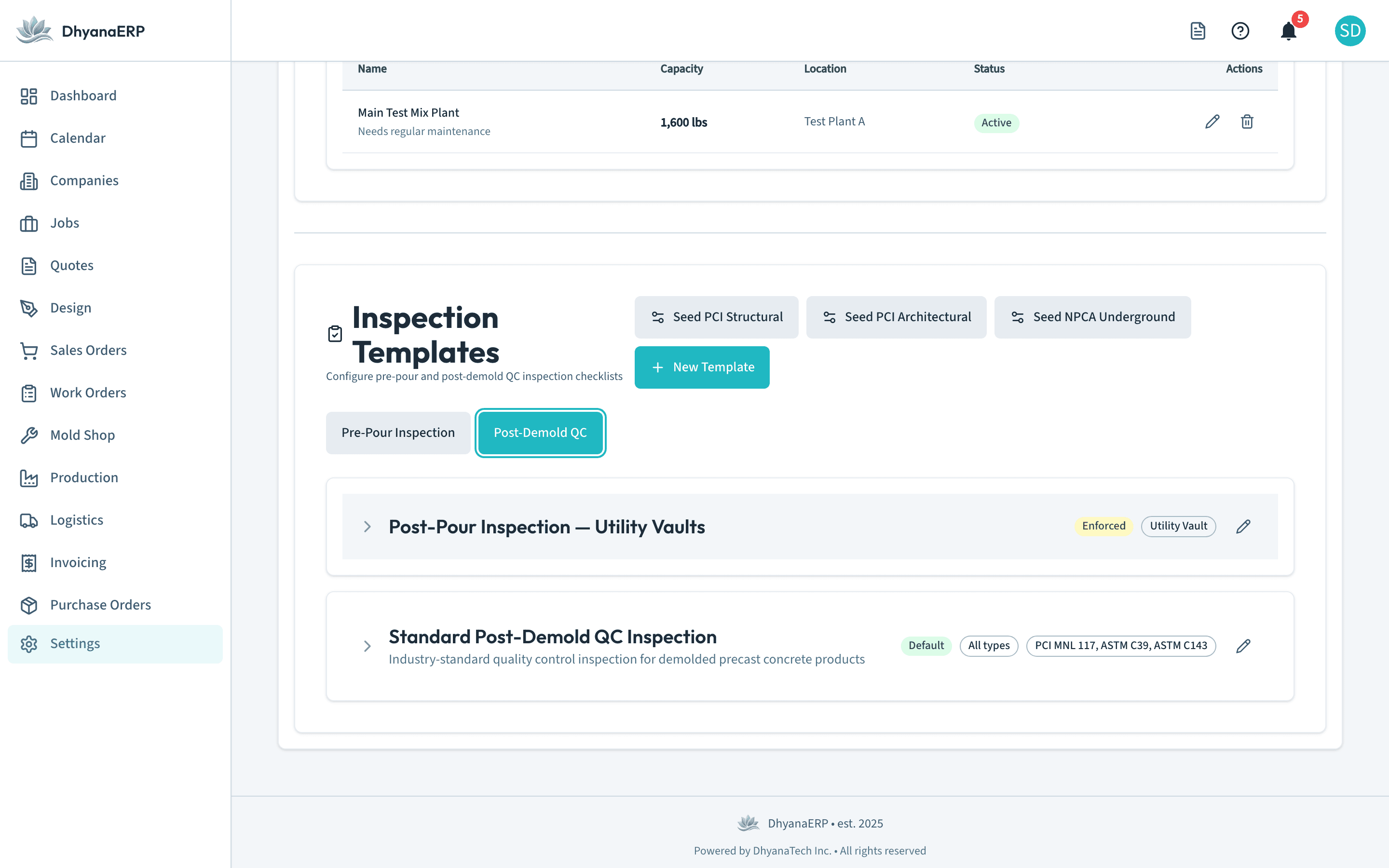
Pre-pour and post-demold checklists bound to your element types. Seed the standard structural, architectural, and underground templates with one tap, then make them yours. Run a template as advisory while the crew learns it, then flip it to enforced; after that, a piece does not advance until somebody signs off.
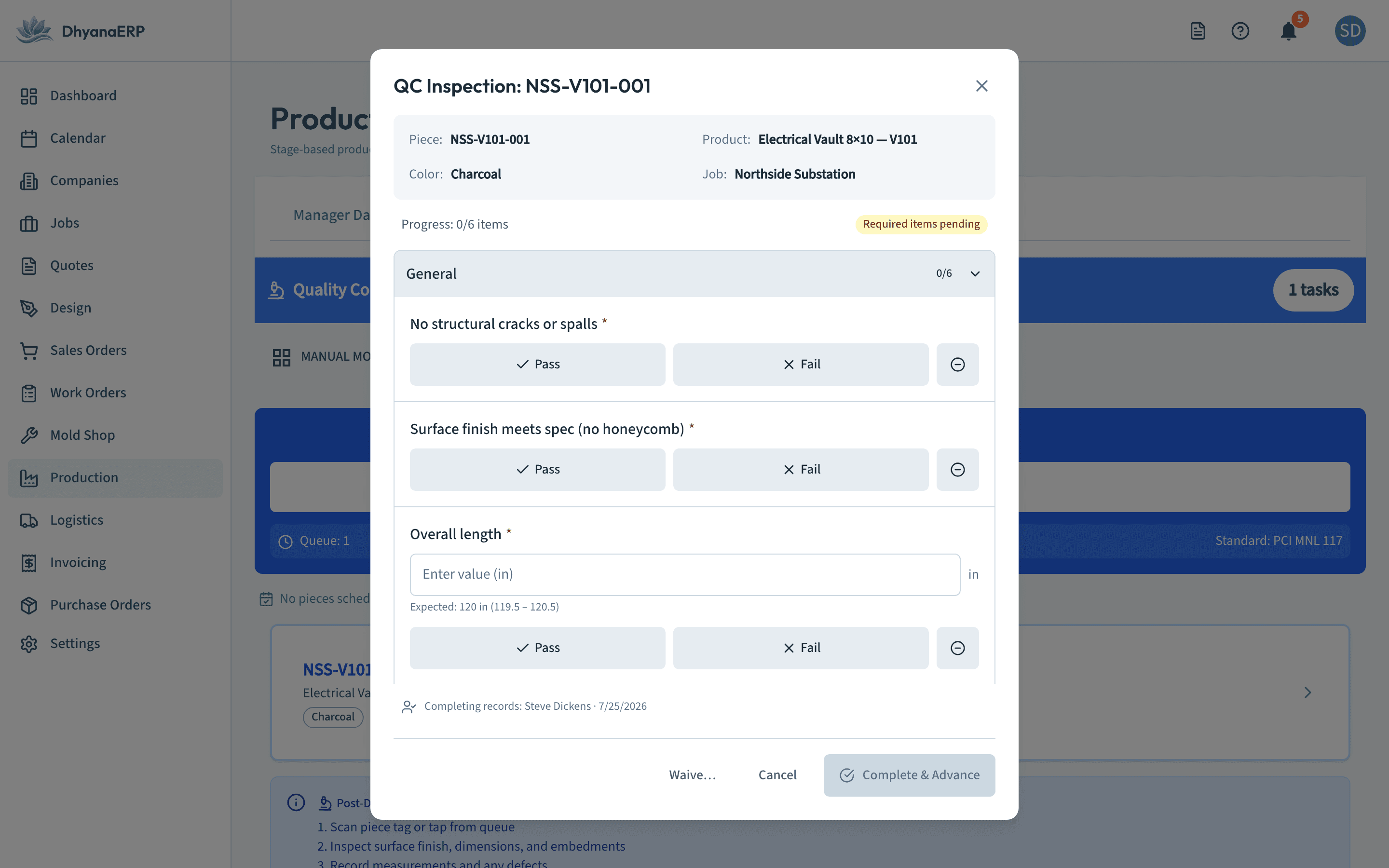
Pass, fail, or a measured value with the tolerance printed right under the field. Out-of-tolerance defaults to fail and asks for a note before anyone overrides it. The inspector’s name goes on the record, and the buttons are big enough for gloves.
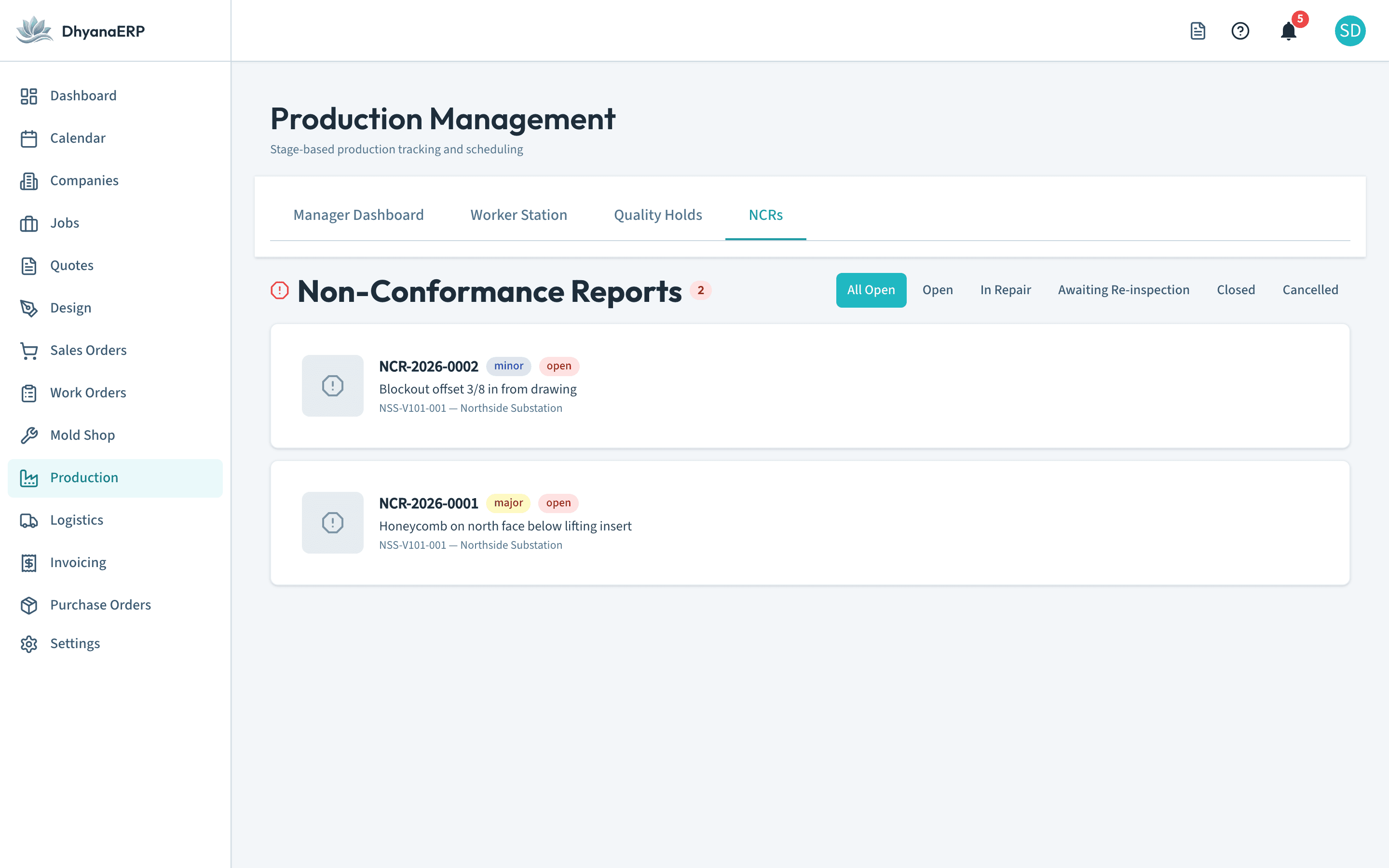
A failed item prompts an NCR on the spot. Severity, category, disposition (use as is, repair, rework, scrap), and a lifecycle that will not let it fall off the radar. Auto-numbered, tied to the piece, and closed only when the follow-up passes.
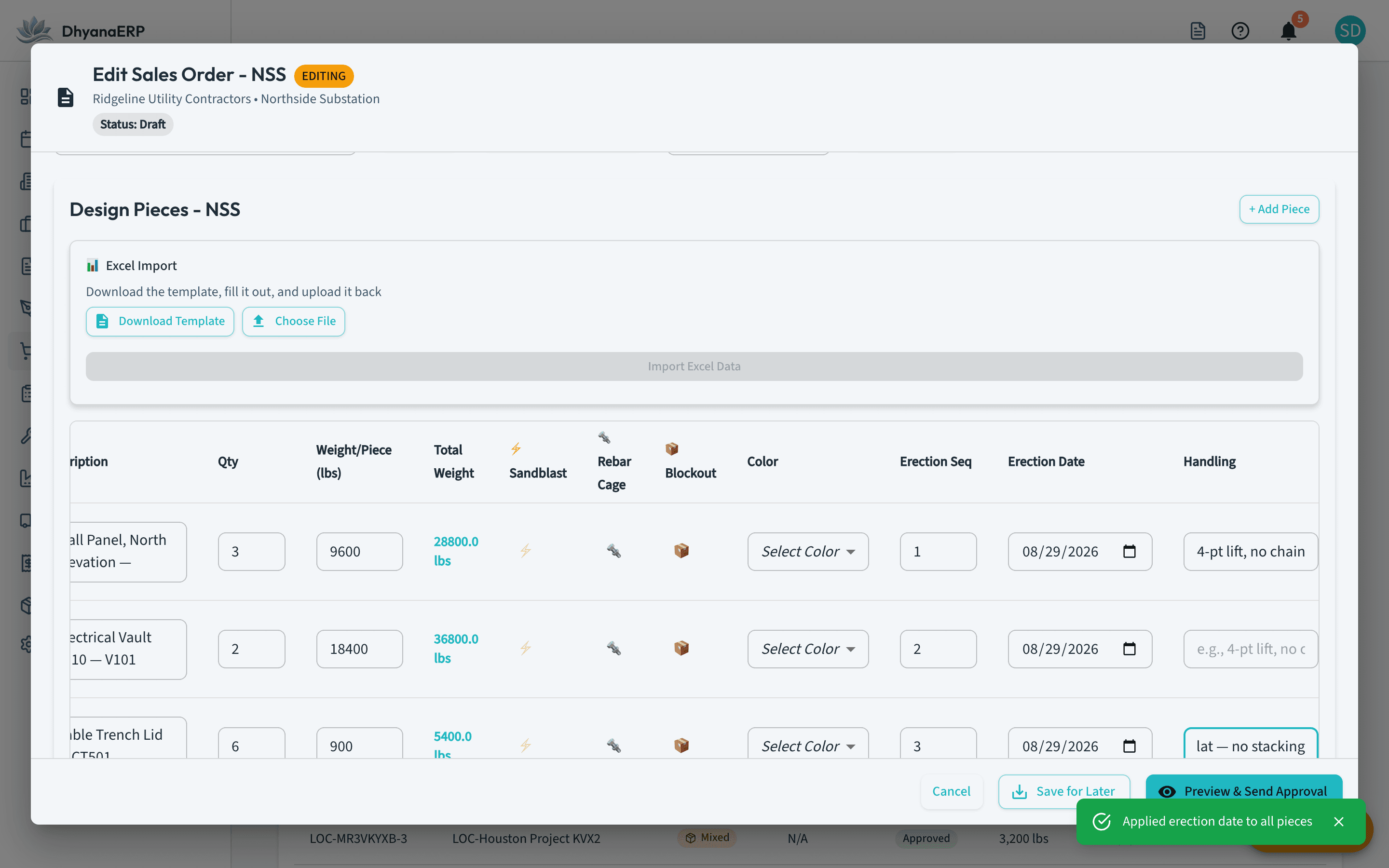
Your customer does not care when you pour. They care that piece 14 is on the ground when the crane swings for it.
Set each piece’s erection sequence and planned erection date right in the order editor, with auto-number and apply-to-all helpers so a forty-piece job takes seconds, not an afternoon. The production scheduler back-plans the pour-by dates from the site date. Handling notes ride along too: 4-pt lift, no chains, written once and carried all the way to the label.
Every job’s path through the shop on one schedule: mold fabrication, pour, demold, finish, packing. Capacity forecasting projects your mold, rebar, and pour constraints and flags a piece at risk of missing its erection window weeks ahead, while there is still something you can do about it.
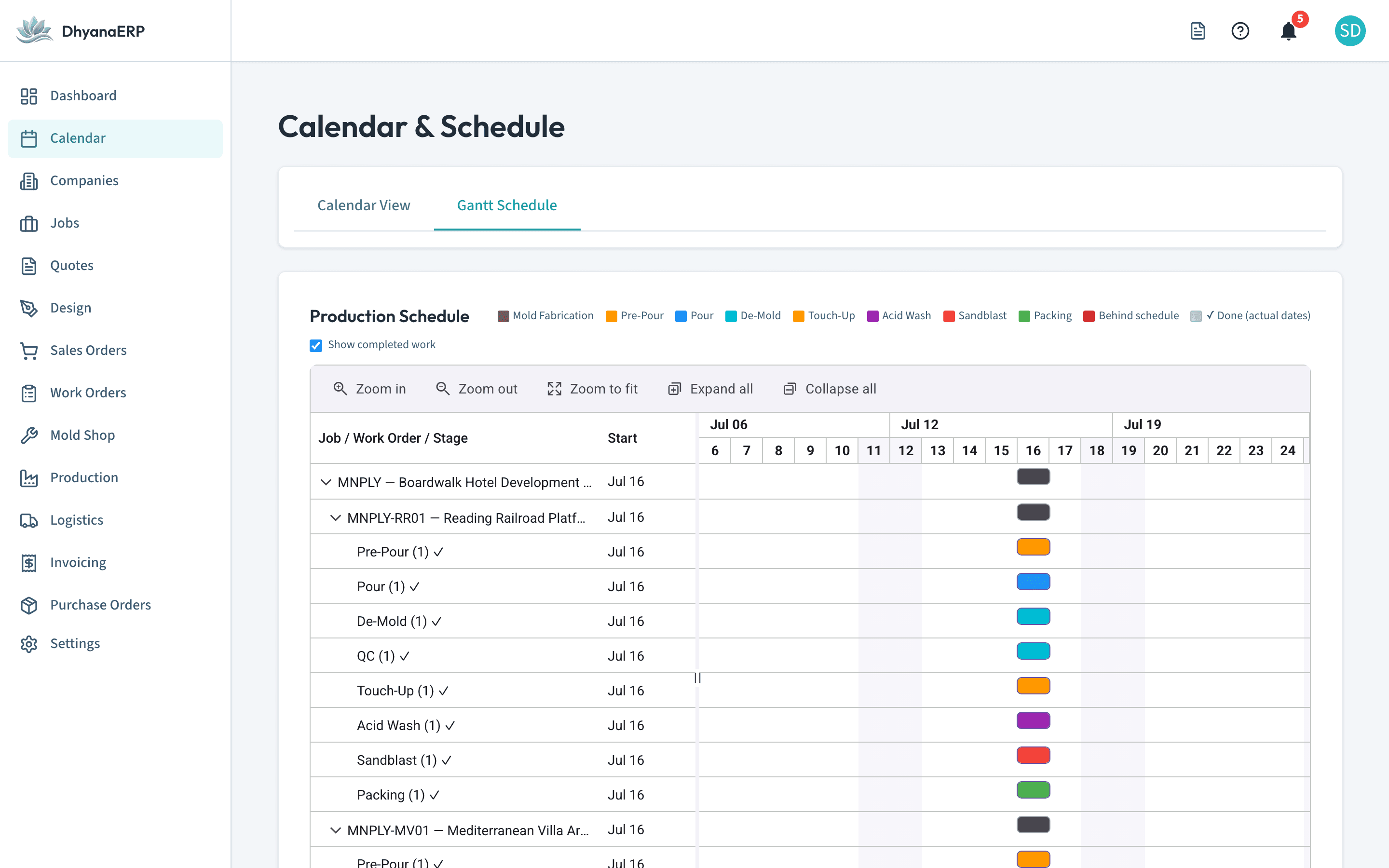
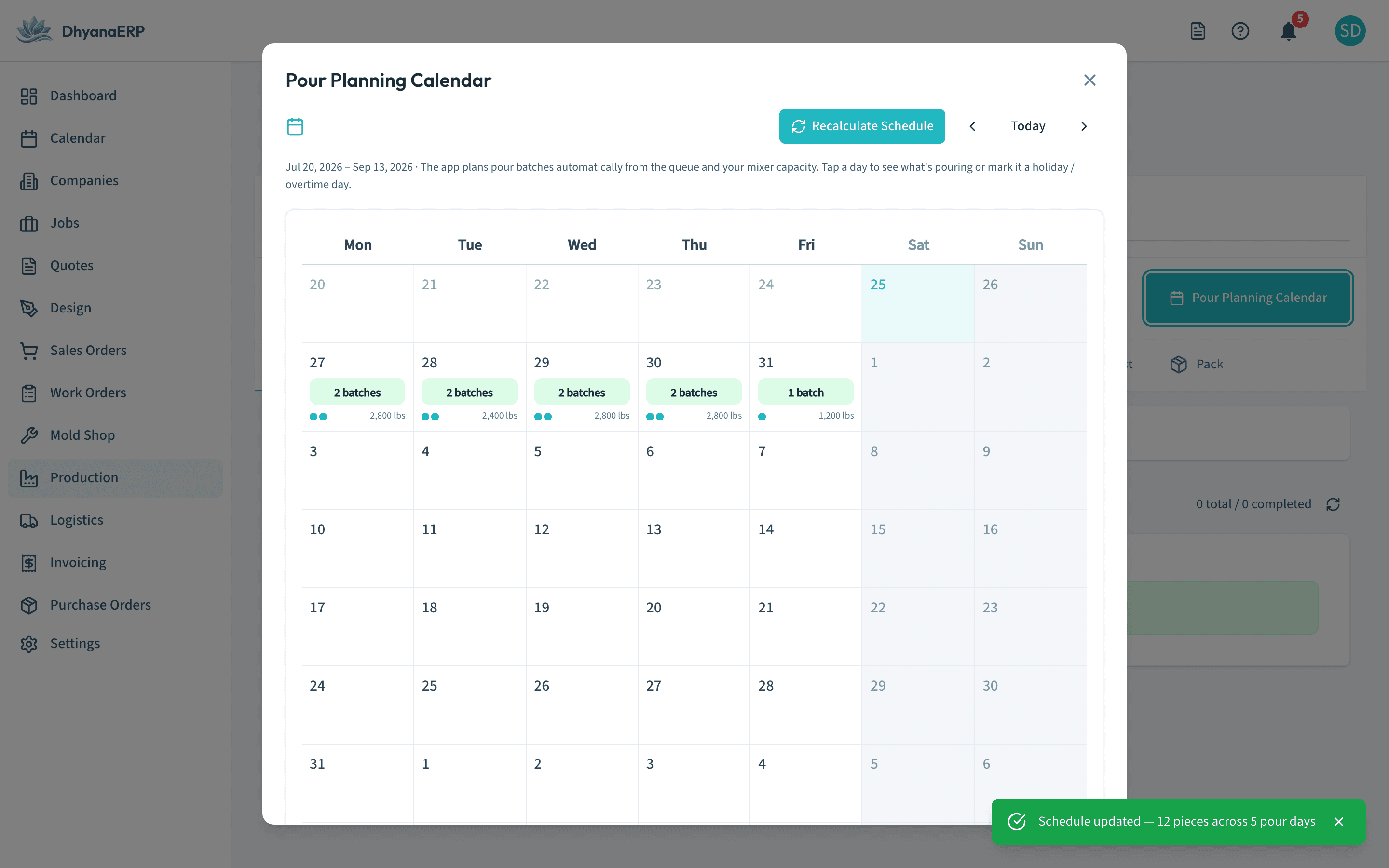
The pour planning calendar builds batches from color demand, mixer capacity, and mold readiness. Tap a day to see what pours. Mark a Saturday as a work day and it plans right through. Nobody keys in a batch by hand.
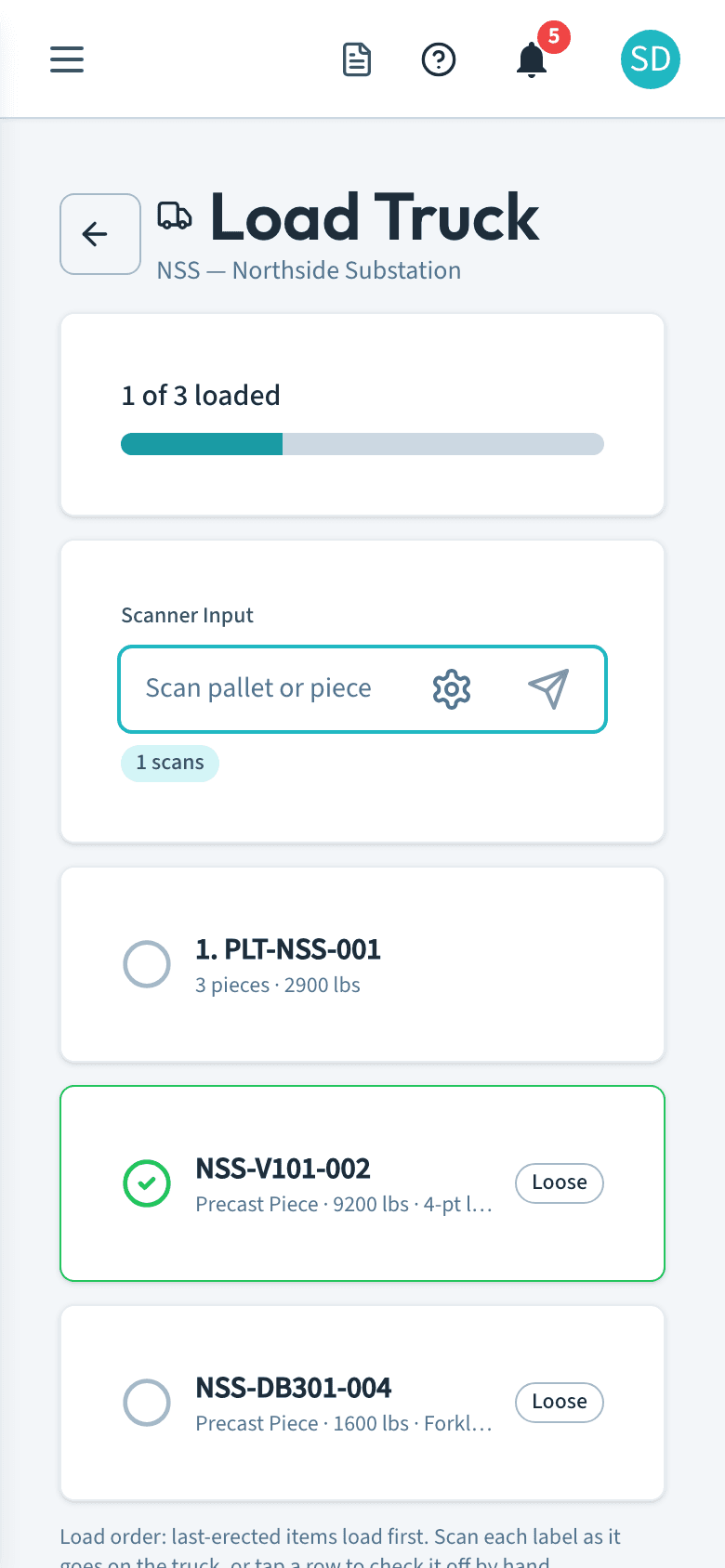
Most shipping errors are one scan away from never happening. v1.1 puts that scan at the tailgate.
Scan every pallet and piece as it goes on the truck. If a piece belongs on a different delivery, the screen turns red and names the truck it should be on. Rows can be tap-checked by hand for gloves and torn labels. And departure is warn-only: the software informs, the yard decides.
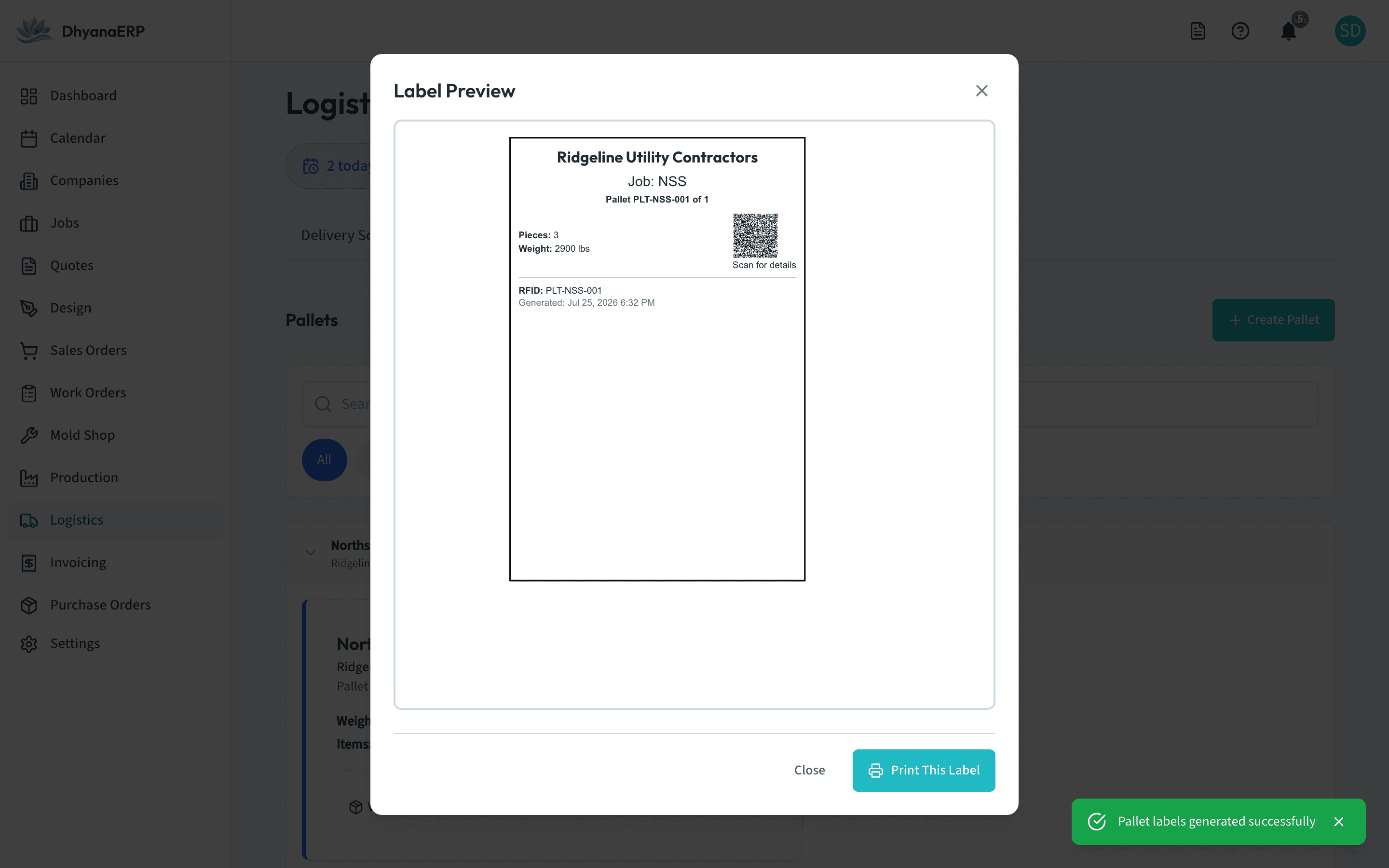
Print labels from Packing or Logistics, one at a time or a whole delivery in a batch. Dimensions, weight, color, handling notes, and a QR code that scans back into the system. Thermal label printers when you have one, plain browser printing when you don’t.
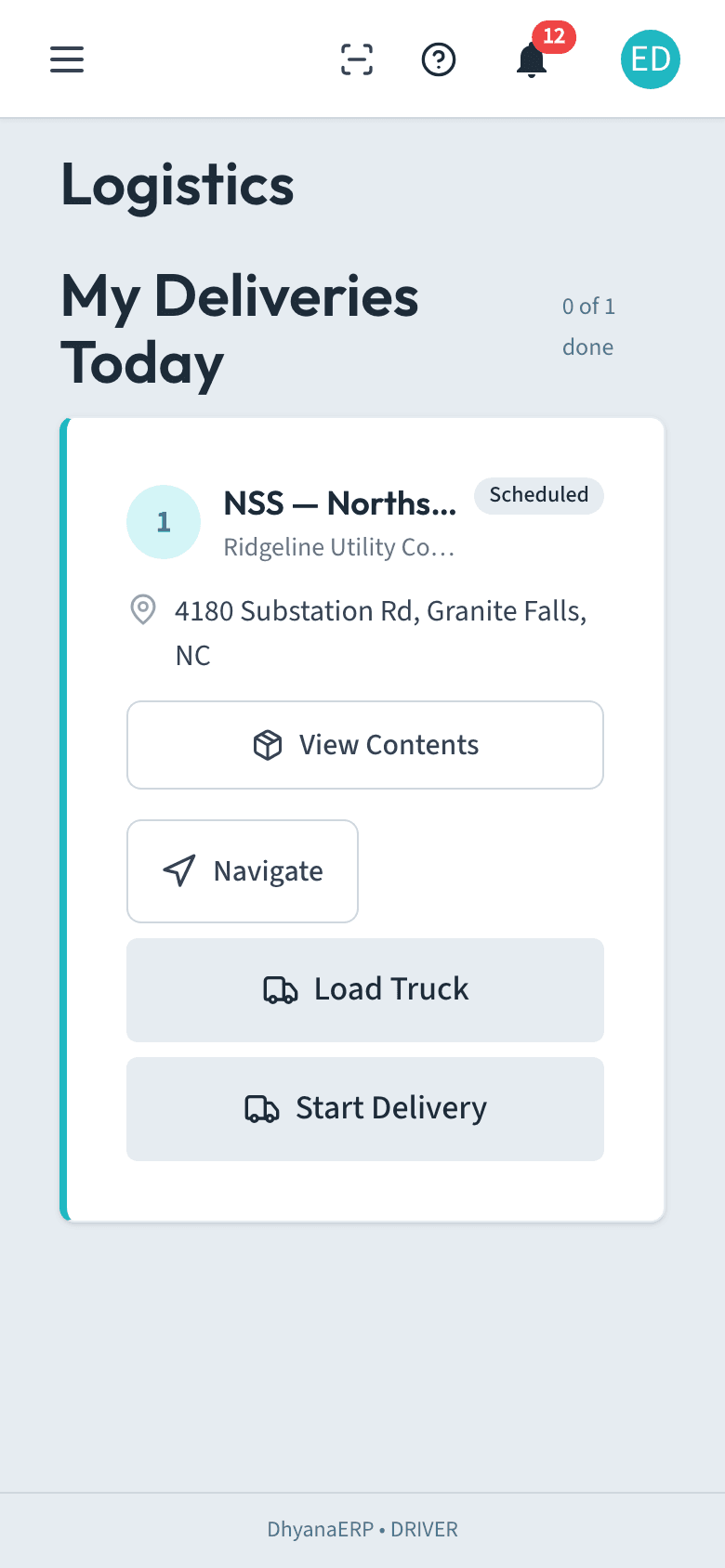
Drivers land on My Deliveries Today: stop cards with the address, one-tap navigation, load contents, the Load Truck check, and proof-of-delivery signing. Every scan field in the app can use the phone camera now, so a driver needs nothing but the phone already in their pocket.
Run several plants under one organization, with per-plant scheduling, inventory, and materials.
Live QR reading through the device camera in every scan field, alongside hardware scanners and manual entry.
Per-piece handling instructions captured on the order and carried through production, labels, and load-out.
v1.0 was the whole backbone: quotes with one-click customer approval, sales orders, shop drawing workflow, piece-level production tracking through every stage, mold shop, materials and inventory, color batching, pallets and bills of lading, delivery scheduling, invoicing, and QuickBooks sync. Two editions, Base and Precast, on one platform, installable on the iPads and Android tablets already on your floor.
See the full feature tourNo six-month rollout, no consultants. Sign up, watch the setup videos, and run your first inspection this week.